

Workspace onboarding step for open-source usage reporting
Let Krea know which workspace reports open-source usage
Enterprise customers reporting open-source model usage now need to tell Krea which workspace they report from. After you create a workspace and generate an API key, contact Krea so the team can onboard that workspace. Usage reporting and monthly billing work the same way once it’s onboarded.See Enterprise Open Source Model Usage.Model Access moves to Manage with organization-wide rules
Model Access replaces workspace model controls
Choose which models people can use across your whole organization from one page. Model Access now lives in Manage and replaces the controls in Workspace Settings. It’s available on Business and Enterprise plans.- Set rules for the organization, for each workspace, and for individual members.
- Pick Approved models only to approve each model before anyone can use it, or All models except blocked to make new models available right away.
- Blocks override approvals. A workspace can only narrow what the organization allows.
- Members can open Model Access to see which models they can use and why a model is blocked.
Changes for existing model access rules
Your existing rules carried over, and every blocked model stayed blocked. A few behaviors changed:- Blocks now override member approvals.
- Changing default access now keeps member rules.
- Switching to Approved models only starts with zero approvals.
- Downgrading your plan now pauses enforcement until you upgrade.
- Some workspaces that let certain members use a blocked model switched to Approved models only. Access stayed the same, and new models now need approval in those workspaces.
Organizations opens to everyone, plus workspace capture, tags, member usage limits, and org-wide Usage reporting
Organizations is open to everyone
Organizations are no longer sales-gated. Any team can group their workspaces, members, verified domains, and billing accounts under one enterprise account from Manage.See the Organizations overview for roles and structure, and Managing your organization for the admin dashboard.Capture existing workspaces
Bring teammates’ existing workspaces into your organization instead of recreating them. When a workspace is owned by someone whose confirmed email matches one of your verified domains, the Workspaces page shows a banner with the number of uncaptured workspaces.- Click Review on the banner, select the workspaces, and confirm Capture workspaces.
- The workspace and its members move into the organization, and its selected billing account becomes organization-owned with its plan, subscriptions, and credit balances unchanged.
- If the workspace is later unlinked, the billing account stays with the organization.
Organize workspaces with tags
Tags help large organizations navigate their workspaces. Create tags, apply them in bulk, and use them to filter usage reporting.- Select one or more workspaces to add or remove tags, or type a new name in the Add tags picker to create one.
- Filter and group the workspace list by tag.
- Use the same tags to filter the Usage page.
Member usage limits
Cap how much compute each person spends per calendar month. Limits work in two layers, and the tighter one wins.- Workspace default limit applies to every member of the workspace.
- Member limit overrides the default for one person.
- Setting a limit to 0 blocks all usage. Limits reset on the 1st of each calendar month.
- The Overview page surfaces members approaching their limits.
Org-wide Usage reporting
Owners and Admins get a new Usage page for the whole organization. Pick a date range, group by Workspace, User, Model, or Product, and narrow by client type or workspace tag. An area chart shows the trend, and a breakdown table lists per-group totals.Members continue to see My Usage with their own month-to-date and all-time compute, a daily chart, and any per-workspace limits.See Usage.Admins can manage billing accounts
The Admin role now covers billing. Owners and Admins can open every page under Manage, including Billing, to review accounts, credits, and invoiced usage.See Roles.Krea Agent is open on every plan, with launch-week free credits
Krea Agent is open on every plan
Krea Agent is now available to everyone, including Free. Write a brief and the agent plans the job, picks the models, generates and edits images, video and audio, and files the results in a shared context library. No invitation or access code required.- Open it at krea.ai/agent, from the product switcher, in Slack, or through Krea for ChatGPT.
- Every plan gets the context library, skills and integrations. Paid plans unlock more effort tiers and the ability to pin a specific orchestrating model. Routines and custom agents are on Enterprise.
- Generations cost the same compute units they would in the Image or Video tool. There is no separate agent balance.
Free Agent credits through September 15
For launch week, generations the web agent submits cost 0 compute units up to a per-user allowance. The free credits left pill in the composer shows what remains.- Free: 300 credits. Basic and Creator Basic: 1,500. Pro, Creator Pro, Max and Creator Max: 5,000.
- The allowance is per user, across workspaces, and ends at the end of September 15, 2026, Pacific time.
Elements in Seedance Studio, GPT Image 2.5 models, MiniMax H3 Max Turbo with native 1080p, postpaid invoicing, and Kling retirements
Elements: reusable characters, locations, and objects
Elements let you save a character, location, or object once and reuse it across generations. An element bundles up to eight reference images with written guidelines under one@tag, so your subject stays consistent from shot to shot.- Create elements from the References panel in Seedance Studio in Video mode.
- Type
@in the prompt to attach an element. All of its images and guidelines travel with your prompt. - Edit an element at any time. Saving updates it everywhere it is attached.
- Elements are coming soon to all other Krea tools, so anything you save now will be ready to use there.
GPT Image 2.5 Flare and GPT Image 2.5 Sunburst
Two new OpenAI image models are available through the API. GPT Image 2.5 Flare supports transparent backgrounds, and GPT Image 2.5 Sunburst is optimized for speed.- Flare accepts a
backgroundsetting (transparent,opaque, orauto). Settransparentto get a cutout. - Both models offer five quality tiers (
low,medium,high,xhigh,max) and generate at 1K in 1:1, 3:2, or 2:3. - Both accept up to 10 reference images through
image_urls.
MiniMax H3 Max Turbo and native 1080p
MiniMax H3 Max Turbo is a faster, cheaper H3 Max tier, and both models now generate native 1080p. Turbo keeps H3 Max’s prompt adherence while cutting cost and latency.- Turbo generates 5 to 15 second clips at 480p, 768p, or 1080p, with start and end frames, seed control, and prompt expansion modes.
- Turbo API pricing is 0.01 per second at 768p, and $0.02 per second at 1080p.
- H3 Max adds 1080p for text-to-video and image-to-video at $0.04 per second. Reference-to-video stays at 480p and 768p for now.
- Current H3 Max and Turbo rates are promotional and run through September 15.
Postpaid invoicing for enterprise billing accounts
Enterprise billing accounts with postpaid billing enabled can now review invoiced usage in Krea. Organization Owners and Admins see accruing, outstanding, and historical invoices under Billing in Manage.- API usage and open source license usage accrue as separate line items on one monthly usage invoice.
- Invoices go out at the end of the month in UTC, and payment is due 30 days after an invoice is sent.
- Open a hosted Stripe invoice from the Billing view to see the amount due and pay.
Kling 1.0 through 2.1 retired
Kling is retiring Kling 1.0, 1.5, 1.6, 2.0 Master, and 2.1, so these models no longer appear in Krea’s Video tool. Their API endpoints are deprecated and sunset on September 15, 2026.- Until September 15, the endpoints keep working and return
DeprecationandSunsetheaders. After that, they return410 Gone. - Kling 2.5 is the recommended replacement. Kling 2.6, Kling 3.0, and Kling o1 also remain available.
- Existing generations from the retired models stay in your library.
Realtime Director soft launch, upfront compute estimates, SSO auto-join, and a sign-in fix
Realtime Director
Realtime Director is a new tool for directing live AI video with prompts. Type a prompt and the video stream updates as it plays, so you can steer scenes in real time instead of waiting on renders.- Prompts are the only input for now. Each new prompt takes over the live stream.
- Set a first-frame reference image to control how the stream starts.
- Finished videos save to your Assets automatically.
Compute estimates before you generate
The image and video tools now show an estimated compute cost before you run a job. No more guessing what a generation will use. Estimates stay stable while you type, and free promotional generations show as zero.This is rolling out now.SSO connection names and workspace auto-join
Enterprise workspaces can now name their SSO connections and turn on auto-join. Auto-join lets teammates who sign in through your identity provider join the workspace without a manual invite.See the SAML SSO setup guide for how SSO is configured.Fixed sign-in when CAPTCHA blocks you
Sign-ins blocked by a CAPTCHA failure now fall back to an emailed code. Enter the code from your inbox to finish signing in instead of getting stuck.See Login and account if you have trouble signing in.Krea in ChatGPT, reference-to-video for MiniMax H3 Max, and the Reve retirement
Krea plugin for ChatGPT
The Krea plugin is now live in ChatGPT. Sign in with your Krea account and generate with Krea models directly from a ChatGPT conversation.Search for Krea inside ChatGPT to get started.Reference-to-video for MiniMax H3 Max
MiniMax H3 Max now supports reference-to-video, in preview. Pass image, video, and audio references together to keep characters, motion, and voice consistent across a generation.- This is an early checkpoint. Quality should match the original MiniMax H3 while running significantly faster.
- Attach up to 7 reference video clips, 15 seconds combined. API callers report the combined clip length with
reference_video_seconds; the app measures it for you. - Audio references cannot be sent alone. Include at least one image or video reference.
MiniMax H3 Max launch pricing ended
The 50% launch discount on MiniMax H3 Max ended on September 1, as scheduled. API generations now bill at the list rates of 0.08 per second at 768p.Reve retired
The Reve image models stopped working on August 31, 2026, and no longer appear in Krea’s image tools. Your existing Reve generations remain in your library. Reve was never part of the public API, so no API changes are needed.Open docs pages in ChatGPT, Claude, or Perplexity, plus a docs link fix
Open docs pages in ChatGPT, Claude, or Perplexity
Every docs page now has an open-in-assistant option in its contextual menu. Use the menu next to the copy button on any page to hand that page to ChatGPT, Claude, or Perplexity with the content prefilled, so you can ask questions about it right away.Try it on any page, such as the Video guide.Fixed broken links on the docs home page
The hero links on the docs home page and the API introduction no longer return a 404. They now land on the Krea 2 overview as intended.Wan 3.0 in the Video tool, plus the Veo 2 and Veo 3 sunset
Wan 3.0
Alibaba’s Wan 3.0 video model is now available in the Video tool and the API. Generate a clip from a text prompt, animate a start image, or guide the output with reference images, videos, and audio.- Generates at 480p, 720p, or 1080p.
- Attach reference media, or set start and end frames. A single job accepts one or the other, not both.
- Prompt expansion is on by default and rewrites your prompt for better results. Set
enablePromptExpansiontofalsein the API to skip it and reduce generation time. - API pricing is 0.15 per second at 720p, and $0.30 per second at 1080p.
Veo 2 and Veo 3 sunset
Veo 2 and Veo 3 are sunset as of August 28, 2026. Both models no longer appear in the Video tool’s model picker, and their API endpoints are deprecated.- Requests to a deprecated endpoint return
DeprecationandSunsetheaders before the sunset date. After it, they return410 Gone. - Veo 3.1 and Veo 3.1 Lite remain available and are the closest replacements.
MiniMax H3 and H3 Max, Gemini Omni Flash 1.1, and a workspace usage API
MiniMax H3 and MiniMax H3 Max
Two new MiniMax video models are available in the Video tool and the API. MiniMax H3 is a frontier 2K model built for reference-driven generation. MiniMax H3 Max is a post-trained H3 variant with stronger prompt adherence and better aesthetics.- MiniMax H3 accepts up to 9 reference images, plus reference videos and audio, and animates between start and end frames. Clips run 5 to 15 seconds.
- MiniMax H3 Max generates at 480p or 768p, supports start and end frames, and adds seed control and prompt expansion modes (
disabled,fast,balanced,quality). - Both models accept prompts up to 7,000 characters, so elaborate, programmatic direction fits without trimming.
- H3 Max launch pricing: 0.04 per second at 768p through the API. These are promotional rates at 50% off; the discount ends September 1.
Gemini Omni Flash 1.1
Gemini Omni Flash 1.1 is live. The upgraded version of Google’s multimodal video model generates video with native audio.- Generate from a text prompt, animate a start image, or guide the output with up to 10 reference images and a reference video.
- Clips run 3 to 10 seconds in 16:9 or 9:16.
Workspace usage API
Enterprise workspaces can now pull per-job usage data withGET /usage. The endpoint returns the workspace’s completed metered jobs in a time window, newest first, ready to feed your own reporting pipeline.- Each record includes the job ID, job type, the member who ran it, the completion time, and
compute_units, the same quantity the in-app usage page shows. - Scope the window with
start_dateandend_date. A window holding more than 30,000 jobs returns a400, so split large pulls into shorter windows. - Requires a workspace service API key on a plan with the usage API entitlement.
Seedance Studio for directing images and video
Seedance Studio
Seedance Studio is a new desktop workspace for directing cinematic images and videos. Write a prompt, attach references with@ mentions, add visual direction, and iterate without leaving the project.- Camera, Scene, and Color controls in Video mode — set focal length and aperture, add lens looks, and pick camera movement, scene style, structure, performance, lighting, and color palette from visual tiles that preview on hover.
- Custom looks — upload a reference image and Studio turns it into editable direction notes, so you can reuse a visual language without attaching the image to every generation.
- Custom color palettes — extract colors from an image or build a palette from hex values, then apply it as a color grade.
- Annotations — draw or place comments on a reference or a blank canvas when a prompt alone is not precise enough.
- 3D camera control — build a simple 3D scene, set camera keyframes with position, aim, focal length, timing, and easing, then attach the rendered path as a video reference.
- Project feed — every result gets an
@tag you can mention in your next prompt, and you can reuse a result’s prompt, model, references, and settings.
Report Krea 2 open-source usage over HTTP
Report open-source model usage with POST /oss/usage
Enterprise customers running Krea 2 open weights can now report usage directly to Krea over HTTP. Send an authenticated POST to https://api.krea.ai/oss/usage with Krea’s share as amount_usd, the model name, and the generations count. Reports feed into your monthly Krea invoice.- Report after each generation or aggregate and send once a month — both are acceptable, as long as usage is reported at least monthly.
- Pass an optional
keyas an idempotency key so retries collapse to the samejob_idand bill at most once. - Node.js, Python, and cURL snippets are included in the guide.
Workspace picker and presigned uploads for MCP
Choose a workspace when connecting to MCP
The MCP OAuth consent screen now includes a Workspace picker. When your client asks you to sign in to Krea, you’ll see every workspace you belong to and can pick which one this MCP session runs against.- The selected workspace is bound to the OAuth session and determines where compute units are billed and where uploaded assets are saved.
- Your default workspace is pre-selected — switch it if you want the session to run somewhere else (for example, a shared studio workspace instead of your personal one).
- To rebind, disconnect Krea in your MCP client and reconnect. Legacy sessions without an explicit binding continue to fall back to your default workspace.
Upload local files through MCP with get_upload_url
The MCP upload flow now uses presigned URLs. The new get_upload_url tool returns a short-lived URL that your client POSTs the file to as multipart/form-data, and the response contains an asset URL you can pass straight into a generate call.- Presigned URLs are valid for three hours — plenty of time for a client to stream the file up before generating.
- If your file is already reachable at a public URL, or you can encode it as a base64 data URI, skip the upload and pass that value directly instead.
get_upload_url for a walkthrough.Media URL inputs are consistent across the API
Every endpoint that accepts a media URL now takes the same three forms interchangeably — an external URL, a base64 data URI, or an uploaded asset URL fromPOST /assets or MCP’s get_upload_url. The API reference now calls this out up front so you can pick whichever fits your workflow.See Media URL inputs in the API reference introduction.Krea 2 open weights and technical report
Krea 2 Raw and Krea 2 Turbo open weights
Krea 2 is now open-weights. We’ve released Raw and Turbo checkpoints under a permissive license, alongside a full technical report covering data, architecture, training, and infrastructure.- Krea 2 Raw — the base text-to-image foundation model focused on aesthetic range and creative control.
- Krea 2 Turbo — the distilled variant for fast generation, compatible with style references, moodboards, and LoRAs.
- Weights are on Hugging Face and inference code is on GitHub.
- Read the full Krea 2 Technical Report for details on the multi-stage training pipeline, prompt expander, and style-reference system.
External URLs and data URIs for reference images
Pass reference images by URL or data URI
You can now provide reference and source images without uploading them to/assets first. Image-to-image, image-to-video, and Krea 2 style transfer endpoints accept three formats interchangeably:- An asset URL returned from
POST /assets. - A public external URL pointing to the image.
- A base64 data URI (for example,
data:image/jpeg;base64,...) for fully inline payloads.
Organizations for enterprise
Organizations in private beta for enterprise
Organizations are now in private beta for enterprise customers. An Organization sits above your workspaces and centralizes billing, members, verified domains, and Single Sign-On under one enterprise account.- Owner, Admin, and Member roles at the organization level, separate from workspace roles.
- Organization dashboard for Owners and Admins to create workspaces, invite members, assign roles, and manage access in one place.
- Domain verification unlocks Domain Capture (auto-enroll users with matching email addresses) and is a prerequisite for SAML SSO.
- SAML Single Sign-On so your team signs in with your identity provider.
- Model Access Controls (Business and Enterprise) to restrict which AI models are available to members using allowlist or blocklist modes.
Zero Data Retention for Krea 2
Zero Data Retention available for Krea enterprise API
Zero Data Retention is now available for enterprise API customers. Send theX-Api-Zero-Data-Retention: 1 header on a request and Krea won’t persist your prompt or generation after it’s returned.- Supported on
krea-2/medium,krea-2/large, andkrea-2/medium-turbo. - Any reference images (for example style references) must be passed as data URIs — remote URLs aren’t supported under ZDR.
- Contact support@krea.ai to enable ZDR on your workspace.
OAuth sign-in for MCP
OAuth sign-in for the Krea MCP server
Sign in to the Krea MCP server with OAuth. You can now connect MCP-compatible clients to Krea without creating an API key — just point your client athttps://api.krea.ai/mcp and complete the browser sign-in.- Works out of the box with Claude Code, Codex, Cursor, and other clients that support OAuth.
- API token authentication is still supported for clients that don’t speak OAuth.
MCP billing now follows your auth method
Clearer billing for MCP usage. MCP requests are now billed based on how you authenticate:- OAuth — usage is charged to your Krea account’s compute units.
- API token — usage is charged to your workspace’s API balance, same as direct API calls.
Generative sliders for Krea 2
Generative sliders land in the Krea 2 API
Generative sliders for Krea 2 are now available on the API. Three new fields —intensity, complexity, and movement — let you steer the visual character of a Krea 2 generation without changing your prompt.- Each slider takes an integer from −100 to 100, with
0as neutral. intensitycontrols how stylized the image feels,complexitycontrols how dense the composition is, andmovementcontrols pose energy and implied camera motion.- Supported on all Krea 2 variants:
krea-2/medium,krea-2/large, andkrea-2/medium-turbo. - Sliders don’t change the cost of a generation and compose cleanly with style transfer and moodboards.
Introducing Krea 2 Turbo
Introducing Krea 2 Turbo
Introducing Krea 2 Turbo. Generate high-quality images in just 2 seconds with a faster Krea 2 experience, compatible with style references, moodboards, and LoRAs.Ideogram v4.0 is now available in Krea
Ideogram v4.0 is now available in Krea
Ideogram v4.0 is now available in Krea, with 2K native resolution, excellent text rendering, and support for JSON prompts.Krea 2 on Artificial Analysis
Krea 2 on Artificial Analysis
Krea 2 is now listed on Artificial Analysis, ranking as the #1 image model from an independent research lab and #6 globally on the text-to-image leaderboard.Krea 2 LoRAs are available to everyone
Krea 2 LoRAs are available to everyone
Krea 2 LoRAs are now available to everyone. Create and use custom LoRA styles with Krea 2 directly in Krea.
Moodboard Gallery + Random and Auto
Moodboard Gallery + Random and Auto
Introducing Moodboard Gallery. We added thousands of new moodboards in our gallery for you to explore and generate with Krea 2.Krea 2 LoRA training is here
Krea 2 LoRA training is here
Train your own Krea 2 LoRA from a small set of images and use it directly in the Image tool. Capture a style, character, or object once and reuse it across every generation.Krea 2 deep dive
Krea 2 deep dive
A new walkthrough of Krea 2 — how to use style references, build moodboards, and prompt for the results you want.Krea 2 is live for everyone
Krea 2 is live for everyone
Krea 2 is now available to everyone. To celebrate, we’re offering unlimited Krea 2 generations to all subscribers for the entire week.K2 is now available for Pro
K2 is now available for Pro
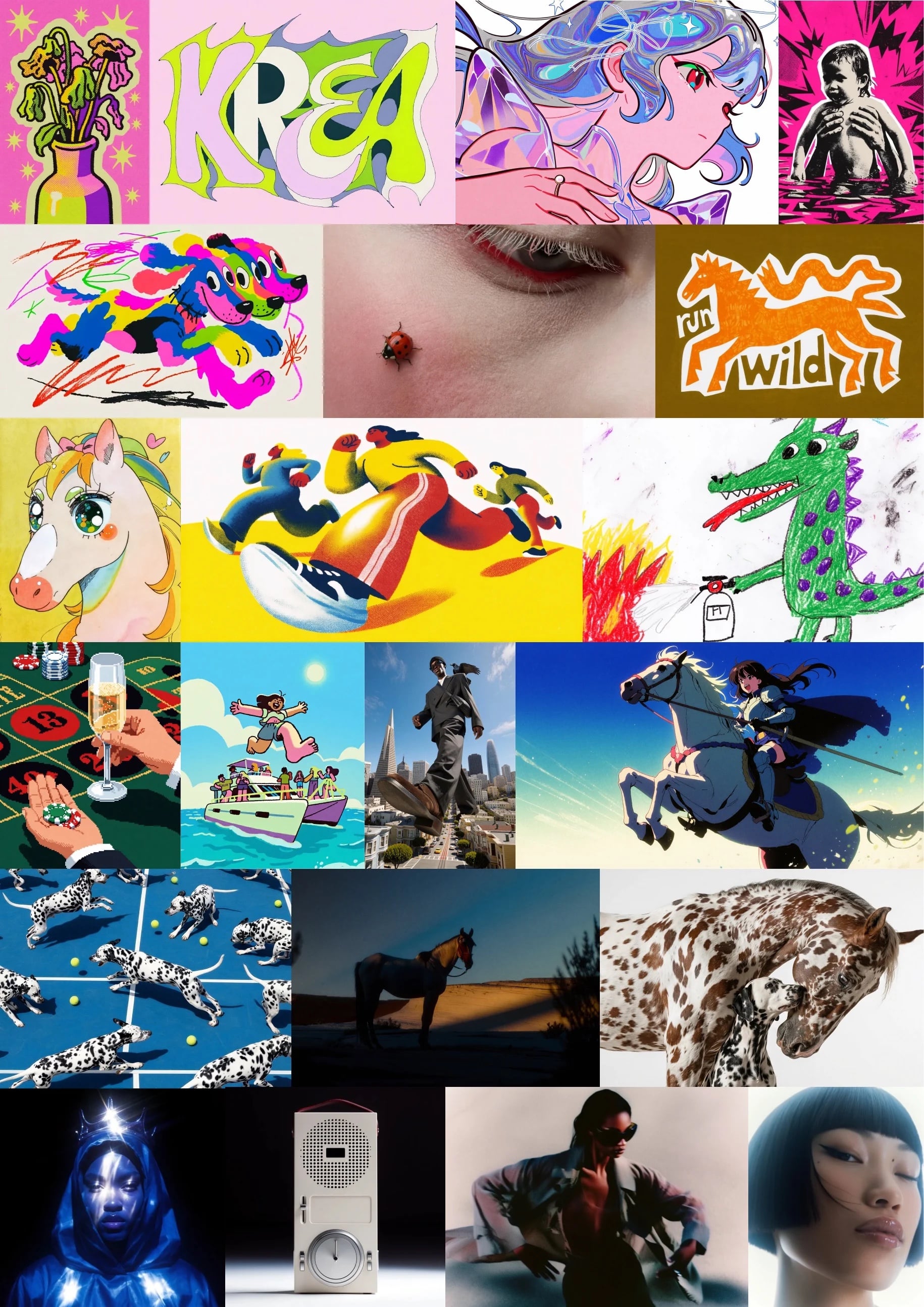
Krea 2 (K2), our new in-house image model, is now available to all Pro users. K2 was built for creative range — strong on illustration, painterly looks, manga, anime, VHS, and word marks, on top of photorealism. Open the image tool, pick Krea 2 Large or Krea 2 Medium, and start generating. Try Krea 2 now
Style refs in the gallery + arrow navigation
Style refs in the gallery + arrow navigation
Style references are now visible and one-click copyable directly from the gallery. Spot a look you like? Grab its sref instantly and reuse it in your next generation.A new gallery feed
A new gallery feed
The gallery has a fresh feed experience. Browse community creations in a smoother, faster layout designed to help you discover inspiration and remix what catches your eye.Moodboard Sharing
Moodboard Sharing
Share your Krea 2 moodboards with anyone via a public link. From the Moodboards page, right-click any moodboard and select Share to open the sharing dialog.How it works
- Click Create public link to generate a shareable URL (krea.ai/moodboards?s=…)
- Recipients can generate using your moodboard, but not edit it
- A Link sharing toggle lets you enable/disable access at any time (shows the date shared)
- Copy the link to clipboard with one click
Krea 2 is here
Krea 2 is here
Krea 2 is here. Our first foundation image model built completely from scratch, focused on aesthetics and creative control.Most image models are good at understanding what you want in an image. Krea 2 is built around the second part: how you want it to look. It can render a wide range of styles, from grainy film photography to clean studio shots, cinematic stills, illustrations, digital paintings, and more experimental directions.Introducing Seedance Effects